Last month I finished making some sculptural work for a show in Hood River. That may be the end of my studio work time this year, because I've taken on a significant new project. I am planning to turn my online Art History class into a kind of game, and that daunting process looks likely to take up the bulk of my time until classes begin in September.
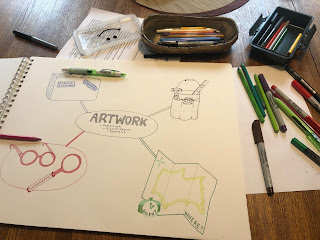 |
| planning a mind map for the Art History class/game |
I've heard a little about "gamification" over the years, but haven't encountered any faculty who've actually done much with it. The idea is to make an online class more like a video game and less like a lecture class. A gamified class would be interactive, fun, and engaging. Of course, I hope my classes are already interactive, fun, and engaging, but the idea is to make some changes that reduce the fear and test anxiety and increase the students' motivation to do the work.
Ideally my gamified Art History class will have a kind of story, in this case the story of journey, which students can follow and tasks, challenges, and activities throughout that provide opportunities to earn points, badges, rewards, and praise. The overarching idea is to keep their attention, not just on the class content itself, but on doing the work. To determine if they have learned the content, I need them to show me what they know. Showing me what they know, through quizzes, tests, and writing assignments isn't always inherently fun, but if they are rewarded immediately for their efforts, and if the quizzes, assignments, etc can be broken up into smaller pieces, the hope is that they will be easier and/or more rewarding to complete.
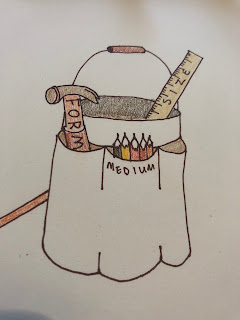 |
| the "physical properties" tool bucket includes a form hammer, medium pencils, and a size ruler, the idea is to remind students to think about size, form, and materials when discussing physical properties |
I am modeling my framework partially on things like
Khan Academy and
DuoLingo, both of which give credit (in the form of beeps and bings and electronic badges or points) for brief activities, quizzes, answers, and even just for watching videos. Because of the rewards, both Khan Academy and DuoLingo are fun to use, apart from what one learns.
 |
| the first part of Art Student's journey, collecting tools, equipment and training in the first week/introduction section |
I have some idea of what needs to happen and what makes games addictive and fun, but I don't have really any experience in making something like this myself. I don't know how to make the quizzes have beeps and bings (and it looks like Canvas isn't ready to enable this for me, but I'm not sure why not). I also don't know how or an unable to incorporate moving parts like a video game (I'm really thinking that Canvas' next update should include some kind of a health bar on the top and students can refill it by watching the required videos and participating in the discussion forum).
Since my skill and the current course management system won't do all that I can imagine, it is my intention is to be somewhat reasonable with my time and simply take some steps towards gamification. The first step has been thinking through how this will work. What is the story of this game and how can the various tasks that need to be completed for the students to learn and demonstrate their knowledge, be integrated into that story?
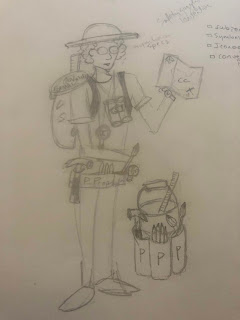 |
| my first sketch of the student avatar and tools |
Strangely enough, I am finding this process to be quite edifying. Generally, I am having fun envisioning what this could look like and how it might work. Next week, I am planning to attend a Webinar about how to use badges and I find that to be very exciting (because I am apparently a huge course design nerd?). This week I tried to figure out badges on my own and gave myself a pounding headache without making a great deal of progress. The next day I learned about the webinar.
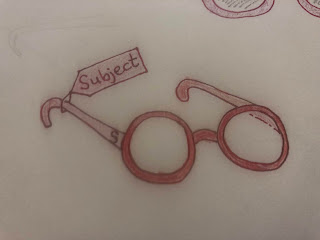 |
| "subject specs" are gear that Art Student can collect to help with quests on the journey |
I hope that the webinar will be useful and will allow me to use badges as rewards without making a lot of work for me creating and activating them. On the day I developed a headache I was trying to figure out how I could make them visible, make them look like actual badges, and award them to students after certain tasks. I was hoping to use art related gifs or small images that illustrate concepts, but I was running into size issue with the gifs and permission issues with the images.
I came up with two possible solutions, on is drawing the badges myself and scanning them, and other other is using artworks from our textbook as the badges. Both of these will probably work ok, but I'm hoping for more from the webinar. The good news is that the drawing part of the process is fun and restful in a way similar to working in my home studio, whereas looking for stuff online and trying to manipulate it is frustrating and headache inducing.
A sculpture related SpongeBob gif could be a fun reward badge, right?
There's one more tool that I've been starting to try to learn.
SoftChalk is a new software/tool YVC is adopting. It has been pitched as a way to create more interactive activities than we can do within Canvas itself. Of course there is a learning curve and no one on campus who knows the tool yet. It has been suggested that the person on campus who will explain the tool to others is me. Uh oh.
I tried watching the intro video and discovered it explained how to edit text, adjust heading size, and use folders. My mind melted from boredom after watching this 8 minute video (at 1.5 speed), I decided to just try to use the tool myself. Making the pages and importing content was basically fine (though importing from YouTube isn't as intuitive as it could be), but when I tried to create an interactive assessment, I apparently missed a very important step. The result looks like my nephew's etch-a-sketch drawing.
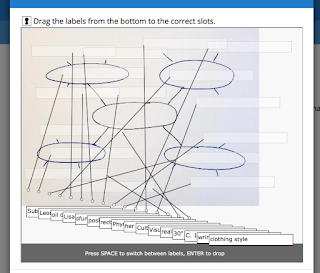 |
This first attempt does not look like an enjoyable assessment activity.
|
Now that my headache has abated, I do intend to go back and try again, but with so many parts of the project, I haven't done so yet. The next day, after taking care of some unrelated work at school, I sat down to sketch some plans on paper. I found the drawing to be relaxing and enjoyable, similar to working in the clay studio and unlike working on the computer.
Sketching and drawing has been very helpful for visualizing how this class will work in this game or game-like iteration. At the start of the summer I bought a very large sketchbook and started brainstorming and categorizing ideas and plans for the first few weeks.
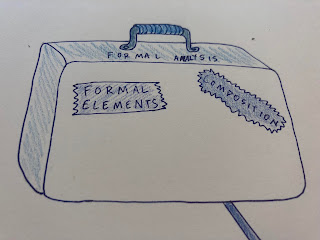 |
| The "visual structure" section of the mind map and a suitcase of tools student will collect in the class/game. |
The process is seriously challenging in both conception and execution. I enjoy the drawing part, but it has been more difficulty to come up with a relatively cohesive "story" for the game and useful symbols or images to help the students understand how these class concepts can be used to understand art and to navigate the gamified class. At this point I am envisioning a journey, but I am not completely confident in how I will translate taking a quiz into the world of the journey.
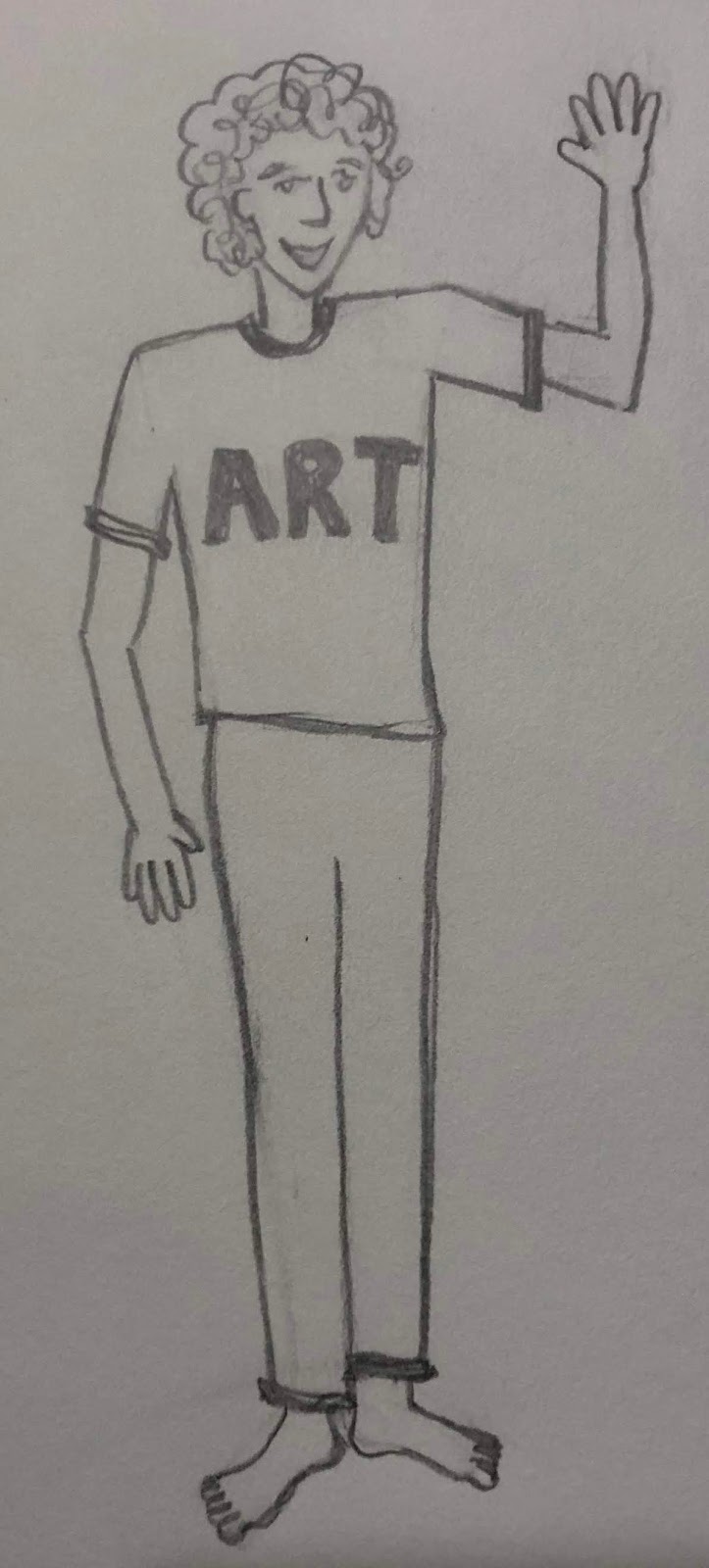
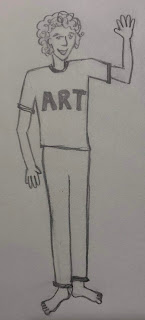
So far, I have developed an avatar for the class, an ambiguously gendered (hopefully) person named "Art Student" (I figure Art can be short for Arthur or Artemesia) who can go on a journey. In the first week of the class, students will collect some supplies or tools and equipment for themselves and the avatar to aid them on their journey.
 |
| Art Student |
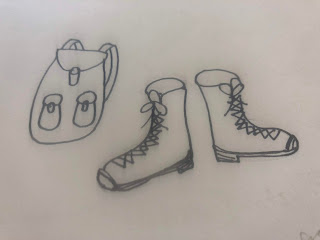
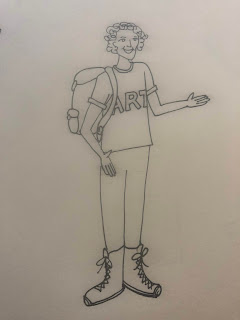
At the start of the class, students will see a barefoot Art Student inviting them on a journey. The first step will be to learn about the structure of the class and, in so doing, earn Art and themselves a pair of hiking boots and a back pack.
I usually record a video or two about the structure of the class, and I figure I can use a backpack as a prop when I pull out the textbook and a planner to talk about timing for the class and successful study skills. As I describe this here, I feel I'm balanced precipitously between this being a fun way to start class and an absolutely cheesy way to do it. Either the students will go along with me and my cheese drawings and limited technology integration or they will groan and flee the class in droves.
 |
| boots and backpack, the first equipment students will collect for their class |
The rest of the first week will be spent on learning some terminology and attempting to set up a structure for how we approach the class. I like to work with a framework of four different categories when looking at art: subject, visual structure, physical properties, and cultural context. I've illustrated each of these as different types of tools or containers that Art Student can wear or carry. I am hopeful that this visual will help students learn the concepts, but also keep them connected to the story of the game.
 |
| Art Student ready to begin the art history journey |
I found that SoftChalk doesn't appear to let me draw directly in the tool, which I thought it would do. Instead, it seems that importing images is the way to go. The day I was working with SoftChalk, I just drew up a quick sketch of a mind map to use in the activity, but quickly realized that SoftChalk "grading" won't allow the different parts of the mind map to be put in a different order.
The mind map is simply a visualization of the categories I use in this class, and as such it doesn't matter if "subject" is in the top right or bottom left of the map. However, SoftChalk thinks it does matter. I realized that I will need to include some other kind of clue if I want the students to put the mind map together "correctly" in the SoftChalk tool.
 |
| the "subject" section of the mind map |
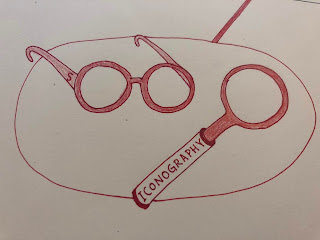
So today I drew a new mind map, but in place of the word "subject" I drew the tools or equipment I intend to have the Art Student collect when learning about subject. In this case I have developed "subject specs" as well as a symbolism sunglasses, a magnifying glass that identifies iconography and a set of binoculars that discern conventions. As I write this I realize that I might be basing this class game more on Dora the Explorer than some mature video game that teenagers and young adults will appreciate.
In this vein, I've also created a map (Dora again) and watch to suggest cultural context, a suitcase for visual structure, and a bucket of tools for physical properties (including materials, form, and size). In the mind map activity, if I can get it to work right, these visual clue should help students correctly identify the sections of the mind map, which they will later be able to use themselves to create mind maps for particular artwork.
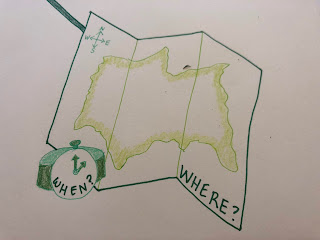 |
| "I'm a map!" |
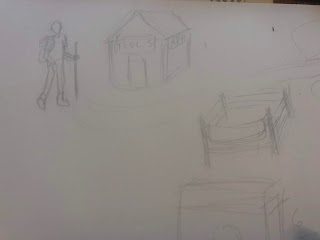
I've also sketched a graphic syllabus in the form of a map of the conceptual journey that the real students will take with Art Student through the class. The idea is that they are moving through the course content as through a physical space (even though, uh, the different sections of the class happen in some of the same spaces at different times in history/prehistory).
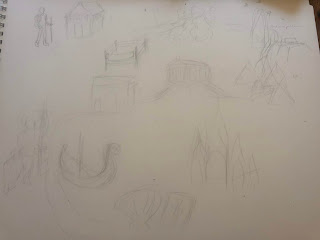 |
| a lightly sketched version of the graphic syllabus or map of the course |
The other element of the gamified class that I want to integrate is the idea of quizzes, activities, and assignments as "quests" the student/avatar/player goes on to earn points/energy/knowledge for the class/game/journey. I am thinking of it all of these different tasks as ways of gaining energy points for the journey, and I can almost see how it will work, but I also want to distinguish between the types of practice, studying, cooperation, etc that students do when learning the content. Combining the two ideas, of the game and simply being students, is much more complicated and I don't want it to confusing things.
I have barely started on the actual integration of these new images, revisions, and changes to the class in the online course management system itself. It is a big project and less straight-forward than other revisions I have taken on in my classes in the past. I hope it will work. If you have any suggestions or if you've gamified a class or know someone who has, I'd love to hear from you.