Showing posts with label technology. Show all posts

Monday, March 30, 2026

NCECA part 1 (Bad Apps, Maps, and Gaps)

I just got back from NCECA, the annual conference for the National Council on Education for the Ceramic Arts in Detroit. This week was YVC's spring break, so I have nearly a whole day to rest before classes start tomorrow. My mom met me in Detroit and attended the conference with me. We had lots of opportunity to talk about clay and teaching and the conference and her hometown (she grew up on the East side) while in Detroit, but now my mind is racing with more things I want to think about, so...blog writing!

Me and my mom in the hotel with a view of Detroit, Windsor, and the conference center

It was a good experience, despite the fact that there were some serious flaws, in my opinion, with the organization of the conference itself. Luckilly, the experience included lots of valuable stuff, like info on kilns and parts, new to me tools, inspiring work and exhibitions, and validation of some of my techniques and teaching approaches. I was disappointed, to varying degrees with the organization of the conference, and though I have lots that's good to think about, some of today's writing was me getting out some of that frustration with the organization and, especially, the app.

a small amount of my conference collection (including lots of posters for the studio)

I went to my first NCECA conference in Kansas City as a senior in college with my clay professor, John Beckleman, and other Coe students. The next year, I went to San Diego as an independent artist and prospective graduate student. I attended the conference all three years of graduate school (in Indianapolis, Baltimore, and Portland). After that I went less freqently, attending Seattle in 2012, Milwaukee in 2014, and Portland again in 2017. I presented (on my work, and a separate presentation on my teaching) at the conference in Pittsburgh in 2018. Then I didn't attend again until this year.

This year's theme: Volumes 

I figure that even though it's been a while (8 years, though only 6 in-person conferences) since I attended, my nine previous conference experiences give me some authority to say that I thought that there were some disappointing changes between this year's conferencce and previous ones I've attended. 

me: crabby (this was from the Substructure show, but I can't find the artist name and the website link is broken)

It seems like in Milwaukee there were a lot more presentations showing building and throwing processes as programing for the conference, whereas this year most demos seemed to be held by booths in the expo (so, company sponsored with limited viewing and seating). In Pittsburgh, I presented my work in the Blinc 20:20 short form section, which appears to have a correllary in this conferences' pograming, but I didn't see anything like the other presentation I did: a group discussion, simultaneous with another group discussion in the same room, about studio atmosphere and culture. Today, in drafting this post, I looked back on the post I wrote about both the Blinc and the Topical Networking sessions and apparently I thought NCECA was poorly organized at the time too, so maybe this year wasn't worse, I just remember it better than it felt at the time.

more crabbiness in some show where I also failed to get the artist's name (let me know and I can add it)

Of course both this year's crabbiness and my attitude in 2018 have many variables include my own stress level (finals and a presentation at NCECA the same day was a lot). I also realize that NCECA may be facing challenges with the location and physical space available to them, local business owners' attitudes, and who knows what else behind the scenes.  My own age and position at YVC and role at the conference also color what I care about and what I notice. Some of the conference is unapologetically aimed at new artists, students, and folks getting started. Additionally, of the programing changes may have been gradual over the last decade, while others may not be changes, but bad memory on my part.


 the Guardian building, one of the few ceramic-related sites near the conference center (but not listed in the app) with a ceiling and other decoration of Pewabic Pottery tiles

We like to talk about the influence of the pandemic on every aspect of modern life, and NCECA did cancel their 2020 conference and held a virtual conference in 202l.  For me, the intervening eight years included the pandemic, cancer treatment, and my AFT-Y union presidency, all three of which have adjusted the parameters of my job, work, and my perspective significantly. Looking back at past blog posts, NCECA was unorganized then, and I cared about some parts more than others. Interestingly, I think going with my friend Nina and with my Mom made both conferences a lot more fun than otherwise. NCECA 2028 will be in Spokane, maybe I should make arrangements to take a group from Yakima.


Driving around, it was always pretty easy to see our hotel in the distance, even from fairly far out of the downtown area

Back when I attended my first conference as an undergraduate, I remember being amazing at the scale of the conference and the crowds, and at the quantity and variety of exhibitions. Attending with a school cohort made the conference less intimidating and having our professor (John Beckelman) as a guide helped us choose what to attend and where to focus. I have always remembered John's thoughts on why he didn't attend every year and how he felt about the conference. The students were all agog about everything, but he said that attending made him feel good about what he was already doing. 


The K-12 student show is always at the conference center and always very impressive. 

I don't know how much I thought about it at the time, but attending conferences as an instructor, and especially this year, John's perspective from back then really resonated with me. This year, I had lots of good conversations, saw some good stuff and feel inspired to do my own work, but also vindicated by what I am already doing, both as an artist and an educator.

I attended this talk by Rebekah Bogard about how she makes large scuptures in pieces. Her approach is really similar to what I've been doing lately

This year I went in with some pretty specific goals to get some questions answered about kilns, wheels, and our 3D clay printer. I went in with technical questions and had a bunch of interesting and useful conversations with companies in the expo hall and returned home with stacks of resources. (The only downside is that I have to turn that stack and those conversations into a plan now that I'm home.)

Shortly before the conference, I was tasked with putting together a studio equipment maintenance plan.


The conference itself always consists of speakers, demos, exhibitions, free samples, sales, give aways, and even some performaces. This year there as a whole new (to me) subculture or trend of tradesies.  Folks had come prepared with pins, key changes, magnets and other small handmade ceramic items and they would trade with other attendees similarily prepared. Traded items then decorated their lanyards like badges on a scouting sash or medals on a letter jacket. 


In the expo, there were three separate booths where I wanted to buy something and they didn't sell it yet. They'd brought prototypes or hadn't figured out shipping to the US yet.

Compared to conferences I've attended for advising, writing, and curriculum, there's a lot of similar chatting, attending presentations, deciding what's worth your time. I don't remember much of an expo hall at academic conferences I've attended as an adult, but as I kid I remember they had book tables at the reading conferences I went to with my folks. Probably most conferences don't have a multiday scavenger hunt for ceramic tiles so folks can win a new wheel or kiln or art, etc.  And, of course, the biggest difference is the exhibitions. There are ceramic-centric shows scheduled during the conference throught the city and more distant communities (Yakima had clay events when NCECA was in Seattle), as well as in the conference center itself. 


This year there were a bunch of pretty small shows upstairs in the conference center itself


Compared to my previous experience, the exhibitions were disappointing. To some extent I felt that a lot of them weren't coherent--just a bunch of random pieces on pedestals. The exceptions being the Palestinian show at the Arab American Museum in Dearborn and the Ceramics x Fiber show in Detroit. There were shows with good work, but not as many good shows, and the vast majority of works in these shows lacked any kind of artist statement or interpretive materials. May next year NCECA can join forces with a Museum curation conference.

The Ceramics x Fiber exhibition paired ceramic artists with fiber artists for an creative, energetic, and fascinating group show that filled every nook and cranny in this old warehouse building


The biggest disappointment for me was the location of the shows and the difficulty fining them. The latter was primarily the fault of the conference, though I don't know if they had trouble getting shows downtown. NCECA has an app for the conference (they had an app in 2018, too), but it was poorly designed.  It worked adequately for finding lectures, demos and events and adding them to your own schedule (though I still prefer paper and assorted highlighters because it helps me plan what to attend if two things are scheduled for overlapping times). 

the app loading screen

But the app was garbage when it came to exhibitions and especially maps. There were, theoretically, maps in the app. The maps of the conference center didn't identify the expo hall, the demostration hall, or what was in each room or lobby area.  This wasn't a big problem, as the rooms were mostly numbered based on floor, but it led to some frustration on the first day when it said that an event would be in "Concourse C" but the word "concourse" didn't appear in any map. What level would concourse C be on, I wondered. Based on context, I have since learned that "Concourse C" means "just outside the doors to Hall C" and floor 2.  Later in the day, Concourse C was adjusted to mean "the middle of the lobby area near Hall C" on floor 2.

k-12 student work

The real problem, though, was with the 80+ exhibitions in and around Detroit (including Dearborn, Hamtramck, Flint, Ann Arbor, Warren, etc). In the past, I believe we've always gotten a paper copy of the schedule and exhibitions, with maps, and a paper program with my registration. You could buy the program separately this year, but you were expected to rely on their "interactive" map and exhibition list in the app to find shows. 

the main landing page for the app


In previous years, as I recall it, there have been different maps showing different exhibitions. For example. There is usually a map that shows exhibitions within a reasonably short walk of the conference center. This map didn't exist, in part, because there weren't many of these exhibitions. Usually there would be exhibitions in the conference center and in nearby hotels. Some exhibitions might be in cafes, shops, galleries, or temporary venues near the conference center. 

the menu page/overlay for the app

Another map or maps would include more of the city or a section of the city (or nearby cities) with marked exhibitions that one might need to get to via car, shuttle, or public transit.  There might be a map for Shuttle 1 and a differnet map for Shuttle 2. These multiple maps made it easy to find exhibitions that were either walkable from the hotel/conference center or where you could plan a route that combined one cab, car, or transit ride with some walking.

the start of the long exhibition list

Instead, this year's app included just one map. The details of the shows were not visible at the same time as the map was open, which led to juggling between the app and a browser, both on my phone. It didn't help that the Interactive map didn't include street names or GPS. The second night, I gave up and just wrote a list of exhibitions and their addresses.

when the map first loads, that's Flint alone at the top

It was also annoying that the map was accessible through the app, but opened a separate browser page. Links in that broswer page opened yet more pages, and none of these were ones that were easy to toggle between. I ended up with 43 open tabs on my phone because I was looking for things. The low reliability of the info in the app led to missed shows, arriving at shows that weren't open yet or had closed early, and lots of separate searches for addresses, directions, and hours.

lots of transit stops on Woodward Ave

After much trial and error and practice, here are my 22 easy steps for finding an exhibition in Detroit this year:

  1. Unlock your phone
  2. Open the NCECA app 
  3. Remind your phone that you are not in Canada, despite your phone pinging a cell tower across the river in Windsor
  4. Log into the conference center or hotel WiFi because you are worried about out-of-country data charges 
  5. Now that's done, close all the windows you opened to try to avoid Canadian data charges
  6. Open the NCECA app again
  7. Click on the menu
  8. Click on "Exhibitions" This is the 4th item down under "Presenters" in the menu. The 5th item is "maps" but this does not include any exhibition maps, so never use this.
  9. Once you have opened "Exhibitions," select the first item titled "Click for 2026 NCECA Exhibitions Inter" This is the exhibitions map, but you wouldn't know that by reading the menu options or the visible title. They could have titled it "Exhibitons Map." but that would be too clear.
  10. Once you have opened the map page, click on the link to get to the map.
  11. Wait for your browser to load the page--there was always a lag.
  12. Zoom in to Detroit, because this map includes Flint and Ann Arbor in the default view.
  13. Adjust the screen to put downtown Detroit near the center. This will take a few tries.
  14. Click on a variety of different icons because you don't know where the Conference Center is. There is no key. The purple flag is the Conference center. It is the same color as most, but not all, of the People Mover stations. (The People Mover is a free downtown transit option. It will be out of service for the duration of the conference. You cannot remove the icons for all the People Mover stops that you can't use. Try to ignore them, even when they are on top of other icons. Some of them are a different color. Some of them have different icons.)
  15. Once you have found where you are, look a the little paint palette icons. These are probably art exhibitions. Sometimes these are not art exhibitions. Sometimes art exhibitions use a different icon. Some of the icons identify landmarks unrelated to clay or this conference. There will be no way to know ahead of time if a numbered icon is related to this conference or not. Some of the paint palette icons mark exhibitions that do not exist. NCECA will not updated the map, despite announcing, at the start of every lecture, that the app is "the most up to date" way to tell what's going on at the conference.
  16. Find a cluster of paint palettes that appear to be close to the convention center. Zoom in to see the name of the street they are on. Just kidding, this map doesn't include street names!
  17. Click on the closest paint palette icon. At the bottom of the screen there may be a word or words. 
  18. Click the word(s) to enlarge. Text here may or may not include the name of the show or the name of a business at this location. There may be a link to, or photos of, an unrelated business.
  19. Click the link. Now you are at a website for a restaurant. Good luck getting back to the map or this icon before you forget what you were looking for, or at.
  20. Return to the app. 
  21. Click the left arrow to return to the Exhibition list. There are over 80 exhibitions at NCECA this year. They are not listed alphabetically. They are not listed by location. You may not sort them by name, location, or any other feature. There is no search feature (edit: I found the Search feature today, Monday. The conference ended Saturday. I didn't check if it worked). You may not check off or hide exhibits you have already seen (or that do not exist). You may not highlight exhibitions you want to see. You may not search for exhibitions that are close to one another, are open now, open on a given day, have receptions on the same day, or close early. 
  22. Click on every. single. one. of 80 individual exhibition pages and us a pencil and paper to write down their addresses, dates, hours, and descriptions. Look up each one separately in your phone's functional map app. Ideally, bring a friend or family member so they can use a funcrional map app on their phone while you convert information from the poorly designed NCECA app.
lots of different icons with unclear (at least to me) meanings

On the first day of the conference, Wednesday, we used the visual of the map (remember, road names are missing) to look for some exhibitions. One address and map location was simply a closed buiding under construction. We circled the whole building and the next one over. That exhibition didn't exist. We moved to the next street where a passing pedestrian informed us that we had to enter from the alley. That exhibition wouldn't open unitl Thursday. We stumbled upon the twin of the missing exhibition by accident on the way back to the convention center (the Cranbrook alumni show was listed twice with two different locations and two different icons in the NCECA map). We viewed another exhibition from the locked glass doors of the closed restaurant where it was housed. And got kicked out of another exhibition because it was a pop-up only opening for 3 hours on Thursday.

lots of steps trying to find that phantom show

The map was aggravating and easily the worst thing about the conference, but the lack of walkable shows was also pretty annoying. I was really hoping that this Detroit NCECA would celebrate the vibrant revitalization of the city with exhibitions in downtow spaces that were otherwise empty.  And to be clear, we saw lots of revitalization in the city and lots of empty space downtown, but that's not where the exhibitions were. There were a bunch of pop-ups, but they had a separate card, were mostly not listed in the NCECA app, were not particularly walkable, and were open on different nights, each for only a few hours at a time. We made it to none of them.

lots of streets without names

It was especially disappointing to be staying in large hotel on the waterfront with huge unused spaces, including waterfront views, with no exhibitions save for a single table for one of the hotel's employees. Don't get me wrong, it was super cool of the hotel to feature their employee, but with so much empty (glass enclosed and secure) space, there should have (and could have) been more. 

the view of our hotel from near the conference center

In fact, no downtown hotels had any exhibitions or installations of ceramic work that I was able to find, apart from a single one-night pop-up and the aforementioned table. The pop ups appeared to be mostly in bars, cafes, restaurants, etc. The problems I had with the pop ups may have been unrelated to NCECA, since the pop-ups weren't listed in anything from the conference organization itself.

four (empty) levels of our hotel, that are visible, but difficult to get to

I obviously don't know enough to know if the fault lay with NCECA's national organizers or local organizers of the conference, or with whoever owns and/or manages those empty downtown spaces. My mom understood that the Renaissance Center, our hotel was located, was supposed to be a public and river facing hub of business activity downtown. It clearly was not that. The restaurants in the hotel were quite expensive, and there was so much empty space. They restaurants were also difficult to find from inside the space.

it took us maybe 20 minutes to find the entrance to this "tube" that allowed us to cross the street out of the rain

As I understood it, the hotel and local restaurants were understaffed (maybe chronically), but on the other hand, there were security guards sitting in a variety of locations around the unnecessisarilty large and empty central part of the hotel. I didn't count carefully, but there had to be at least 4 or more on multiple floors.  They seemed to be bored out of their minds guarding basically empty space and giving directions to the perpectually lost guests trying to navigate the labyrinthine architectural folly of the Renaissance Center.  Wouldn't everyone have been happier if they could guard, say, a ceramic show AND the empty wastelands of the central hotel?

it is mandatory to visit a Culver's when in a state with a Culver's

Saturday, October 24, 2020

Work From Home, Computers & Renovation Projects

Yakima Valley College is online for nearly all classes this quarter and for winter quarter, just like we have been since March. At our house, this means three people (and three cats) are home, together, all the time, two of them trying to do school, and the other one doing fairly extensive home renovation projects.


The cats did not approve change. Furniture moving, window seats disrupted, hiding spaces uncovered. Why doesn't everybody just lie down and rest instead. Unless you're going to feed us?!

In spring, my "work-from-home office" was mostly the dining table with my work laptop. I tried using my desktop Mac, but the room we use as an office has literally two plugs and one light, so if I used Zoom or tried to record a video, the lighting was really bad (worse than the lighting in all the pictures in this post, even). My desk also faced the wall, meaning that everything (and everyone) in the room showed up in my background. I couldn't use a Zoom background either, because the poor lighting caused my face to be treated as the background. And, I couldn't add a light, because the two plugs in the room were already in use.

One of the two plugs in this room. seems legit.

So, I mostly used my work laptop at the dining table. I was able to sit with my back to the wall and a lovely Kristin Michael (psst, this is a link to her Etsy shop, go buy her Scout ham stickers!) print behind my head. Usually I packed everything up in a stack on a chair beside me when it was dinner time. Occasionally dinner happened next to a Zoom meeting I was attending ;-)


Kristen Michael print in my dining room/zoom office (I never seem to notice how bad the lighting is until I take a photo.)

During the summer and into this fall quarter I have still be using the dining table/laptop/Kristen Michael setup for Zoom meetings, but I also continued to use my Mac for some stuff, especially union stuff. In fact, I got into a habit that at the time seemed efficient, but in retrospect should have alerted me to trouble. When the Mac would be really slow to load a program or a page, I would walk into the dining room and work on something else using the laptop. When the laptop, likewise, slowed down, I'd walk back to the Mac in the other room. I figured I was getting exercise and being efficient, but things might have been more efficient, if not more physical, if either computer could handle what I needed it to do.


Current dining room/office setup (ugh, that light)

Of course I also have used my phone a lot. My home clay studio doesn't get very good WiFi, so I use my phone to record videos, then I come back into the main house to upload the videos directly to YouTube, bypassing my iMac which takes 16 years to open iMovie. I was hoping to use these spy glasses I bought for video demonstrations, but they stopped working and I haven't had the energy to figure out if I can get them working again. I've also started uploading images of Design work directly from my Phone because iPhoto on my computer takes just 2 years to open, but another year to actually let me do anything.

The walls are blue except where they are grey, the floor has paint everywhere, the window trip is dirty white, the wall just above the windows is white, and the walls have stripes from the lath and plaster. (We don't always have a crowbar hanging on the wall.)
 

In around the second week of the quarter I was in a 10 minute meeting with a student where I got kicked out maybe 4-5 times. I then had to attend another meeting with colleagues using my phone. (Zoom on a computer is annoying. Zoom on a phone is the worst!) I assumed the issue was the internet, so I called Spectrum, and spend valuable work time waiting on hold and resetting the router. At that point, the work laptop speed improved, but not my desktop (or my phone). So I called Apple and after about a week or two of trying things I finally admitted that my 2012 iMac is no longer a fully-functioning machine. 


yeah, sure, that's what color that desktop picture is supposed to be

Just today, I have been writing this blog on my Mac (obviously, it's not school work), and I could not get it to load images except for screenshots. Apparently I can upload photos from my phone onto my blog. My daughter keeps laughing at me for using two computers for everything. Shows what she knows; I've been using three!

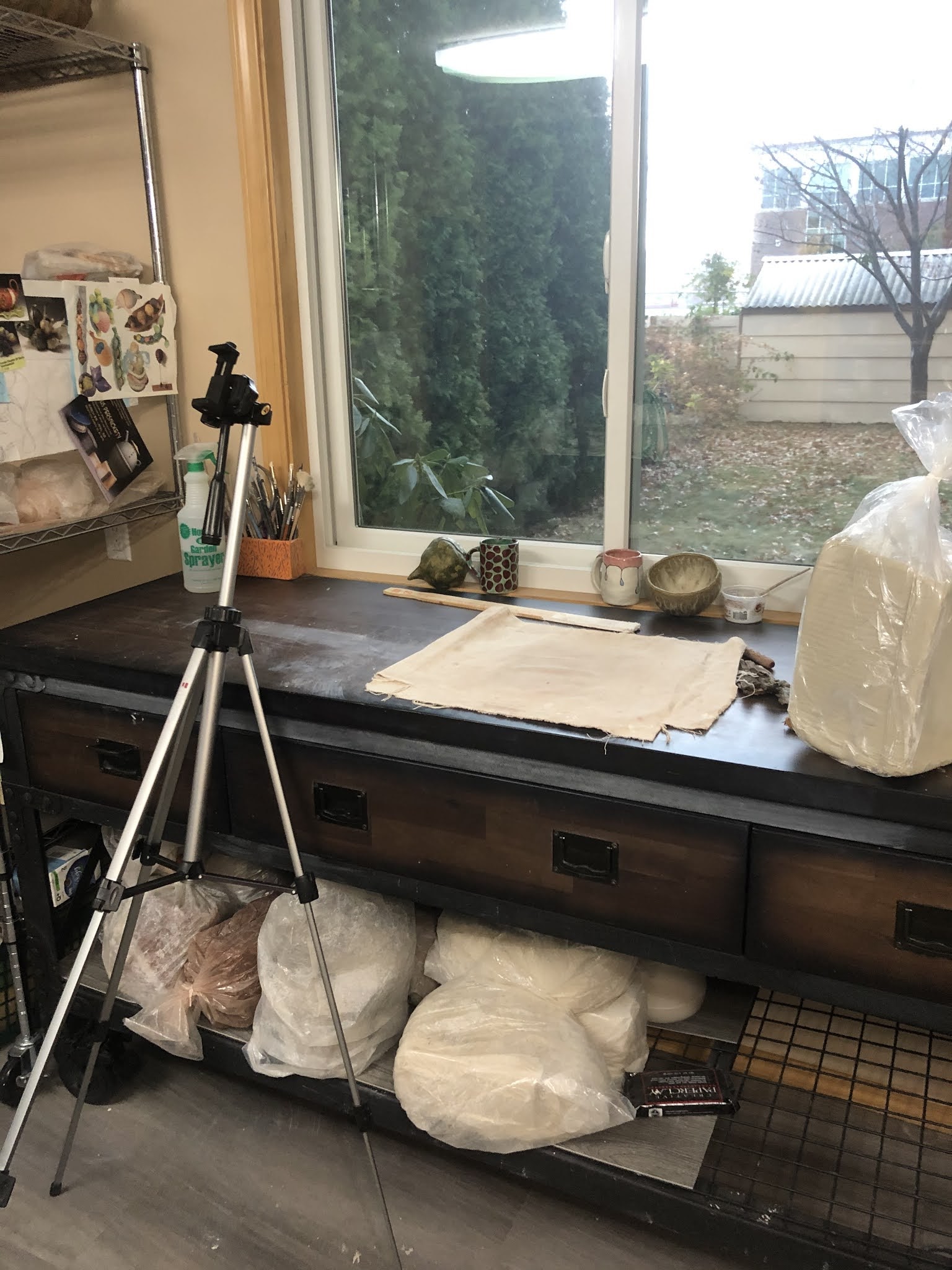
Surprisingly valuable tool this quarter: tripod with a cell phone mount. It is tipped forward to I can record from above.

A few weeks into the quarter, I am accustomed to things being super slow, needing to walk between rooms, and looking at tiny pictures on my work laptop. I even stopped booting up my Mac. The other day, in a last ditch effort to will the machine into new life, I booted it up and did some grading. The laptop screen is about the size of a piece of computer paper. The iMac has a 21.5" screen. And what a difference that size makes when grading artwork! I can actually see what they've made.


One of several pictures/videos showing students how to make-shift a clean photo background in their home work space


This past week I ordered a replacement desktop (with an even bigger screen!) and I have marked the day of its arrival in my planner in great anticipation. I am very much looking forward to relearning how to work without artificial delays (lol, remember the internet in 1996?). SoftChalk, which I use A LOT for all three classes, crashes regularly on my Mac, but using it on my laptop is barely better as the text becomes very, very, excessively wide (editing view is different than how it shows up in a browser). Editing Canvas pages on my laptop makes me cry, because I sometimes accidentally brush my fingertip or my sleeve across the trackpad and all the editing I've done for the past hour (or two) will magically disappear. Neither computer will consistently allow me to highlight text in Canvas's SpeedGrader features.


SoftChalk is neat as an interactive, but annoying too. I've been making one lesson per week for Design, based on lessons for Art History, but it isn't possible to copy/paste tool tips, images, and activities so I have to do a lot of re-making. Just today I discovered two erroneous tool tips in this two-week old lesson that copied incorrectly from a different lesson. Sigh. 

Granted, some of the blame belongs to Canvas (and SoftChalk). I am convinced that some of Canvas's idiosyncrasies are designed specifically to be cruel to teachers. Every other civilized app or program auto-saves (Outlook, Google Docs, Blogger), why can't Canvas? Outlook saves things I don't even want saved; Oh, you clicked the wrong button because your computer is slow and now there's a blank email addressed to L (not an abbreviation), I supposed you want Outlook to save that blank email FOREVER. But Canvas allows me to lose an hour of text and edits if I don't remember to save at regular intervals (even though students might get an alert about those intermediate saves if I'm editing a published page). 


This basement crawl space has been converted into Legoland (plus train tracks and RC cars)

There's been another huge change in my working space this week. My husband, who took a sabbatical before the pandemic, has been working on house projects ever since. He painted the house, redid my clay studio, did an extensive project to reclaim the basement crawl space (terrible picture above), and is now starting on the computer room.  Which means we needed to clear out our desks, computers, file cabinets, bookshelf, and other stuff from that room. This also allowed us the opportunity to ask each other why we have so much stuff.

The custom-built bookshelf is too tall to fit in the clay studio, and to big for any other wall in the house.


As of Thursday, our dining table is smaller (we took out a leaf), and my Kristen Michael computer space is inaccessible (because we moved the table. My computer desk is now taking up nearly half the dining room, and my school books are now in a drawer in the file cabinet (because the bookshelf is outside). Meanwhile the custom made bookshelf is outside, the books are in a pile on the floor, and my husband's desk is in the living room.

The view behind my desk. Only the Tieton River poster (by Justin Gibbens) shows up in the Zoom, but there's a Cheryl Hahn painting in the top right (and my daughter's cat in the rain below).

In someways, though, even a doing room desk is an upgrade. I now have access to two (count em!) two plugs, allowing my laptop to be on the same desk as my desktop--and both are plugged i! I can use the same desk for Zoom meeting (with a Tieton River Canyon poster in the background and both a ceiling light and a window lighting my face). I can alternate between standing and sitting set-ups without moving the computer. The main disadvantage is that the cats don't have room to sit in the window next to me.


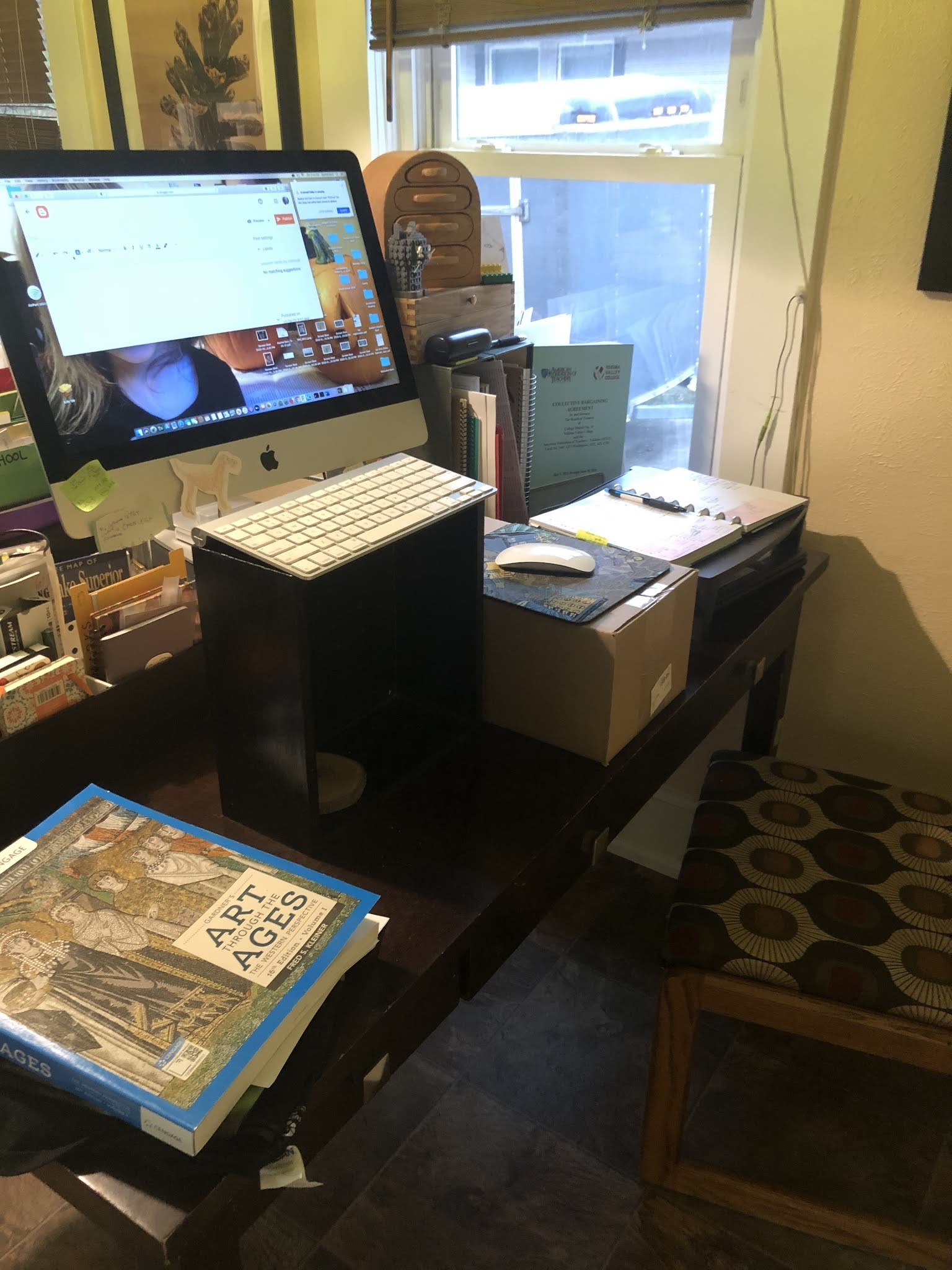
My homemade standing desk (utilizing small pedestals and a cardboard box). My laptop is under the planner next to the window.


I'm pretty excited about the computer room renovation, actually, even if it does mean that all of our other rooms are extra crowded right now as they swell to accommodate books, files, desks, etc. The main problem with the room is the aforementioned lack of outlets. The floor in the room is pretty bad, too. When we moved in there was fairly ugly blue carpet that matched the baby blue walls (and the baby blue carpet in the bathroom). We abused the carpet pretty badly because we didn't like it, and finally pulled it out to reveal hardwood underneath. The hardwood, though, has paint all over it, and stains, and even carpet staples we never took out. We've had a rug over it, but it was always something we intended to refinish or replace eventually.


The wood would look nice, I suppose, if it weren't covered in paint.
 

The baby blue walls are my least favorite in the house. The color is what I describe as soggy baby teddy bear. It makes me want to put doilies on tables, buy Precious Moments figures, and carpet my toilet seat lid. The color makes me think of the kinds of sappy, droopy, soggy teddy bears that get put on baby blankets and onesies. I think the intent, there, is that they be perceived as cute (or maybe they were a futile attempt to convince people that babies sleep a lot) but they always made me cringe.


I've reached the end of my edits for this post, which, unfortunately, means I need to go find a place to put these books.

Monday, November 27, 2017

PSA: Back up your images

In the culmination of a lengthy multi-week saga regarding my computer, the things I want it to do with it, and my inability to be patient with technology, I thought (for several hours and then overnight) I had lost all my images yesterday.

New images of newly fired first amendment cups--not lost.

It turns out that ignoring the problem for 20 hours solved it. The only missing images ares one I didn't actually take, but it reminds me that one should back up one's images periodically. The best time to do this, of course, is right after you terrify yourself by actually, or (one hopes) almost losing all your stuff.

I'm missing a good image of this piece and any image of it's partner. Both are now at Boxx Gallery in Tieton for their holiday show (opening this Saturday 11-4 during the Mighty Tieton Holiday Bazaar).

I remember a few years ago, I was in my office at work when the power went out, followed by groans and screams all up and down the office as faculty called out that they hadn't saved whatever they were just working on, along with a few relieved people saying they'd just saved. We probably all saved our progress regularly for the next few days.

I never successfully printed my design, but the kid used TinkerCad and hers printed mostly ok.
The problem I had yesterday had to do with updating my computer and updating iPhoto. A few weeks ago, I had to update my OS because I was trying to learn software for making objects for our 3D Clay printer. The software I was trying to use required an updated OS. So I updated the OS and spent the next week annoyed at Safari for discontinuing the bookmarks bar. Chrome's fine, but I use Chrome for Canvas and Safari for stuff like my blog and goofing around online. (I acknowledge that this may be silly, but Safari has my bookmarks.)

 I never did get the software that required the OS update to save correctly, but look at this dinosaur duck a student made.

Apparently I hadn't updated my blog in some time, because I also hadn't opened iPhoto in the new OS until last night. Once I opened it, I was offered an exciting opportunity to pay Apple more money for iCloud storage. I declined, then iPhoto proceeded to update? without any sign of progress for over an hour. After a couple hours, I thought there must be a problem, so I tried to investigate and was met with several alarming surprises, one of which being a pop up that said iPhoto is unavailable in my country, another being that when one searches for iPhoto or Photos in the App store, there are no results. IDK

Don't mock my pain, Apple!

After this glimpse at the terrifying possibility of losing all my photos, and realizing that if I did, it would be my stupid fault for not backing them up, I went to bed. This afternoon when I got home from work, iPhoto had updated (I couldn't look this morning because it would have ruined my day if it was still stuck on that mocking orange "Have fun with Photos" screen). So, all's well that ends well.   I'm going to back up my photos now.

There may be more cats in the future, Camden.

Saturday, November 11, 2017

3D Clay Printer: First Weeks


This was our first "print." While the machine was priming it began to extrude and wouldn't stop when we "stopped" the "print" so I just caught the clay on a piece of paper on my hand, twisting as it came out.

Yakima Valley College Gets A 3D Printer for Clay

At last year's NCECA Conference in Portland, I saw a 3D Clay printer being demonstrated. I also saw a good deal of 3D printed clay at the conference, though I only saw one person (Brett Freund) who was using the printer in a really interesting way. But I thought the newness of the process and the fact that this machine prints wet clay, rather than liquid slip, which means that we could print, then alter the prints immediately, meant that there were possibilities for my students to be creative and really explore the unknown possibilities of this process.

Our first successful print came during a day when we worked at it for more than 5 hours, but only managed two successful prints total--and then broke the microSD card inside the machine.

After the conference, I submitted a proposal for my school to purchase a printer for our classroom. The proposal was approved quickly and we received the printer early in the fall. Of course I didn't anticipate that it would be that easy to get started. We got the printer, but the pug mill attachment was incorrect and we spent 5 weeks looking for a solution. Eventually the YVC facilities folks hooked us up and we were able to print for the first time at the end of October.


First Attempts to use the 3D Clay Printer

The first print that wouldn't stick. I can tell the machine starts too fast, but I didn't know that then, in part because the instructions and videos don't actually say how fast to print.


I took some videos of the printing process in October, but was feeling really frustrated because the clay often didn't stick to the printing surface and the extruded layers sometimes didn't stick to one another. I didn't understand why and had trouble finding out why from someone with experience. 


Our first successful print, stuck to the base, even though almost all the other prints needed a clay base prepare ahead of time in order to stick to the base. The company contact condescendingly told me that we should have had a piece of red constructions paper, and later, re-watching the videos I see where the paper was mentioned, but I still submit that a paper checklist with this sort of information would be much more helpful than videos I can't watch easily in my studio.


Since that first day, I've used the printer 4 or 5 days to print a variety of digital objects that came with the printer software, as well as some student designs. Of course it would be really helpful if I were just working with the printer during this time, but I was teaching class, grading assignments, helping students, attending meetings, and completing other full-time faculty obligations, so my time with the printer has been relatively limited. 


Troubleshooting & Trial and Error

The 3D Clay printer comes with no written troubleshooting instructions and minimal written instructions of any kind, including set up. The customer is advised to view online videos, which I did before setting up and attempting to print, but all the videos assume that you are more familiar with the process and 3D printers in general than I was when we began. I needed a list of definitions before I could even understand the videos.

Our second successful print on the first day shifted and leaned because the printing speed was faster than I would recommend. I can't say it is faster than recommended, because I cannot find any speed recommendations.


In our initial prints, we followed all the directions we could remember from the videos, but without much guidance as far as speed of the extruder, speed of the movement, or much of anything else, we mostly were just trying stuff at random. At the time, I wasn't sure that I would be able to figure out the issues without help from someone with experience with this machine. Now, however, looking back at the first video, it is pretty easy to see what went wrong at the time--it was printing too fast at the start. We've also learned that putting down a layer of wet clay for a base is usually essential.

This print was done on the second day, when the speed controls didn't appear to relate to the actual experienced speed of the print.

The thing I am not able to figure out is why the printer/software/file combination sometimes prints at a different speed using the same settings. You can hear me explaining the situation on the video to a student. This print is moving much more slowly than the previous print, but I'm printing the same file, the clay is coming from the same tube, minutes later, and the extruder speed and x/y movement speed are set at the same speeds as in the print immediately before this. The only difference is the actual experienced speed of the x/y movement is much slower.


A successful print on the second day, when the speed varied at random.

The machine seems to be working basically fine and is generally fairly reliable, but the support is difficult to navigate and frustrating when much time and effort is wasted--especially when I can't get much more than a couple hours at a time to work on it. I get the impression that the company is overwhelmed with the machines they are sending out, but they could provide much clearer instructions, troubleshooting, advice, and support--at least from this new customer's perspective. 

The second shape we printed requires some work after printing to open the closed top and open the negative space of the handle.

Students Figure the Thing Out

At NCECA last year, I had asked how hard it was to learn the online object making software. The woman at the booth suggested that the students would just figure it out. After making a few attempts to learn various 3D object making programs, and discovering that they and the tutorials are often designed to now work with a Mac (they keep directing me to right click on my one-button mouse), I was hoping the students would come through for me.

This student's design worked fairly well except for the open section on top of the leg. 

I opened up use of the printer to my students, letting them know that I am not much of a resource for the object making software. I told the students they could look into online tutorials for programs like TinkerCAD, but that I wouldn't be able to help. One student came back with a design she had made herself and it printed correctly on the first try and, to my surprise, the second. Then she and another student proceeded to print successfully or semi-successfully over the course of 2 days and 4 prints. There were some unsuccessful prints mixed in too, but fewer than at the start of our printing process.

This student design was also the first object to successfully print twice in a row. 

Hopefully soon I will be able to print some finished images of work and maybe even get some time to spend on the printer and software myself.